
Web应用程序中的控制器应从yii \ web \ Controller或其子类扩展。在控制台应用程序中,它们应从yii \ console \ Controller或其子类扩展。
让我们在controllers文件夹中创建一个示例控制器。
步骤1-在Controllers文件夹内,使用以下代码创建一个名为ExampleController.php的文件。
<?php
   namespace app\controllers;
   use yii\web\Controller;
   class ExampleController extends Controller {
      public function actionIndex() {
         $message = "index action of the ExampleController";
         return $this->render("example",[
            'message' => $message
         ]);
      }
   }
?>步骤2-在views / example文件夹中创建一个示例视图。在该文件夹中,使用以下代码创建一个名为example.php的文件。
<?php
   echo $message;
?>
每个应用程序都有一个默认控制器。对于Web应用程序,该站点是控制器,而对于控制台应用程序,它是帮助。因此,当打开http:// localhost:8080 / index.php URL时,站点控制器将处理该请求。您可以在应用程序配置中更改默认控制器。
考虑给定的代码-
'defaultRoute' => 'main'
步骤3-将上面的代码添加到以下config / web.php中。
<?php
   $params = require(__DIR__ . '/params.php');
   $config = [
      'id' => 'basic',
      'basePath' => dirname(__DIR__),
      'bootstrap' => ['log'],
      'components' => [
         'request' => [
            // !!! insert a secret key in the following (if it is empty) - this is
               //required by cookie validation
            'cookieValidationKey' => 'ymoaYrebZHa8gURuolioHGlK8fLXCKjO',
         ],
         'cache' => [
            'class' => 'yii\caching\FileCache',
         ],
         'user' => [
            'identityClass' => 'app\models\User',
            'enableAutoLogin' => true,
         ],
         'errorHandler' => [
            'errorAction' => 'site/error',
         ],
         'mailer' => [
            'class' => 'yii\swiftmailer\Mailer',
            // send all mails to a file by default. You have to set
            // 'useFileTransport' to false and configure a transport
            // for the mailer to send real emails.
            'useFileTransport' => true,
         ],
         'log' => [
            'traceLevel' => YII_DEBUG ? 3 : 0,
            'targets' => [
               [
                  'class' => 'yii\log\FileTarget',
                  'levels' => ['error', 'warning'],
               ],
            ],
         ],
         'db' => require(__DIR__ . '/db.php'),
      ],
      //changing the default controller
      'defaultRoute' => 'example',
      'params' => $params,
   ];
   if (YII_ENV_DEV) {
      // configuration adjustments for 'dev' environment
      $config['bootstrap'][] = 'debug';
      $config['modules']['debug'] = [
         'class' => 'yii\debug\Module',
      ];
      $config['bootstrap'][] = 'gii';
      $config['modules']['gii'] = [
         'class' => 'yii\gii\Module',
      ];
   }
   return $config;
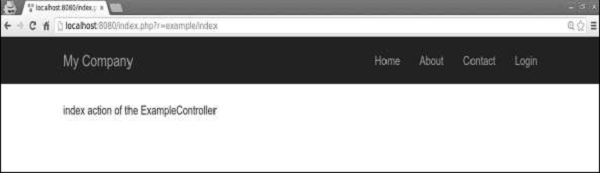
?> 步骤4-在Web浏览器的地址栏中键入http:// localhost:8080 / index.php,您将看到默认控制器是示例控制器。

注–控制器ID应包含小写英文字母,数字,正斜杠,连字符和下划线。
要将控制器ID转换为控制器类名称,您应该执行以下操作-
- 从连字号分隔的所有单词中取出第一个字母,然后将其变为大写。
- 删除连字符。
- 用反斜杠替换正斜杠。
- 添加控制器后缀。
- 在控制器名称空间之前添加。
例子
- 页面变为app \ controllers \ PageController。
- 文章变为app \ controllers \ PostArticleController。
- user / post-article变为app \ controllers \ user \ PostArticleController。
- userBlogs / post-article变为app \ controllers \ userBlogs \ PostArticleController。
作者:terry,如若转载,请注明出处:https://www.web176.com/yii/593.html
 支付宝
支付宝  微信
微信 